

Google will build third data center in Groningen
After the earlier data center in Eemshaven and the started construction in Winschoten, a third data center is...
 51 minutes ago
"*" indicates required fields
After the earlier data center in Eemshaven and the started construction in Winschoten, a third data center is...
51 minutes ago

Microsoft today released the first version of a new series of super-small AI models: Phi-3 Mini. This so-call...
2 hours ago

SAP's focus on delivering more AI services to ease customers' cloud ERP transition seems to be paying off. In...
3 hours ago

TikTok finds itself once again in the crosshairs of the European Commission. The governing body is launching ...
4 hours ago

Meta is renaming its VR platform to Meta Horizon OS and opening it up to third parties. Meta, leading sales f...
5 hours ago

The year-over-year growth is primarily attributed to the use of generative AI for voice phishing (vishing) an...
6 hours ago

ASML has signed a letter of intent with the city of Eindhoven (The Netherlands) for large-scale expansion of ...
22 hours ago

In cooperation with Toshiba, Single Quantum has made the technology suitable for more than 300 kilometres of ...
24 hours ago

WordPress websites using the Forminator plugin for web forms are extremely vulnerable to uploading and execut...
1 day ago

A week after it acquired Gem Security, Wiz is already aiming for its next target. Lacework, which once seemed...

Meta has announced Llama 3, the successor to the highly successful open-source model Llama 2. Along with the ...
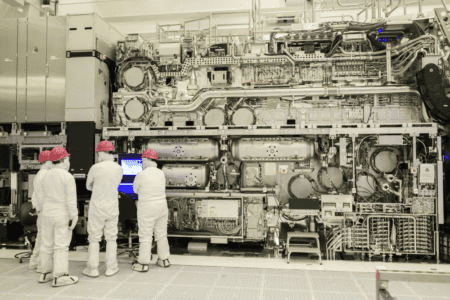
Intel has just announced that ASML's High-NA EUV machine has finished construction. For the first time, the s...

With "Operation PhishOFF," phishing gang LabHost appears to have exited the cybercrime stage. This criminal g...
According to Cisco, what we need is not so much new security products, but a completely new architecture to b...
AI models sometimes have an almost mythical status. You can do a lot with them, but building and deploying th...

Google researchers claim they've cracked the code to give large language models (LLMs) the literary equivalen...

Process mining is taking on an increasingly important role within Appian's automation and orchestration platf...

The market for business tools such as Microsoft 365, Google Workspace, as well as Teams, Slack, Zoom, Dropbox...

In this blog, Techzine reports on the latest developments surrounding VMware's acquisition of Broadcom. Ap...

Attacks on Windows Defender and Kaspersky EDR allow remote file deletion. Even after patches, hackers can sti...
1 day ago

Cybercriminals have publicized about one terabyte of data from the Duvel Moortgat brewery ransomware attack l...
1 day ago

The share prices of TSMC, Nvidia, ASML and other chip companies have declined sharply. In recent days, invest...
1 day ago

Victims of ransomware attacks are less likely to pay cybercriminals to release the encrypted or stolen data. ...
1 day ago

Update 22/04/2024 - Salesforce does not appear to have closed the deal with cloud data management firm Inform...
1 day ago

U.S. Commerce Secretary Gina Raimondo is not impressed with China's chip advances. The Huawei Mate 60 chip, r...
1 day ago

Hugging Face recently introduced its Open Medical benchmark. This solution tests LLMs on the reliability and ...
4 days ago